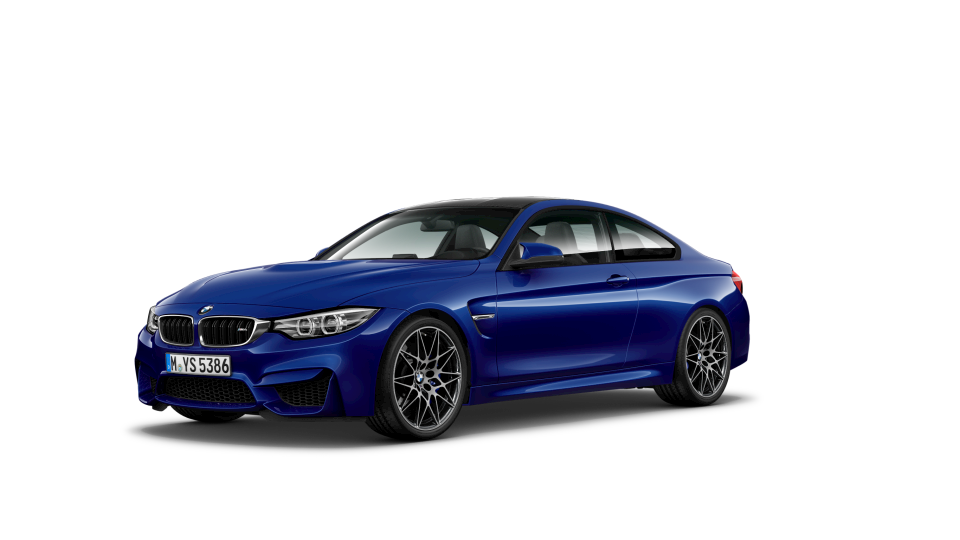
More cars are being added gradually. Every image comes straight from BMW, using the assets behind its own online configurator. These models have left BMW’s main website, but BMW still serves their imagery.
4 SERIES / F82
M4 Coupé
San Marino Blue metallic
Apply your configuration to load a BMW render.
040° / 360°Drag to rotate ↔
Saved BMW viewLoading the configuration…
Does the frame match the vehicle?
20° is the best angle for this shot. Download at 20° instead?
Vehicle specification
Compatibility log
Results apply to the recorded type, build date, options and scene. A decoded frame still needs a visual identity check.
iDrive hero image
The hero image is the picture of your car on the iDrive home screen and vehicle pages. On cars with iDrive 6 (NBT EVO ID6, including ID6 retrofits to cars such as the F10 and F26) you can swap BMW’s picture for your own.
What the image must be
378 × 243 pixels, exactly.
A PNG with a transparent background. Any white or coloured background shows up as a box around the car on screen.
Named after your chassis, for example id6hero_f30.png. The guide below explains where it goes on the head unit.
The Download iDrive hero button in the Configurator makes exactly this file: your build at the 20° angle, on a transparent background, at 378 × 243.
Installing it
The file is copied onto the head unit over SSH from a USB stick. SSH has to be enabled first with a Feature Installer code. This changes files on the head unit itself, so it’s at your own risk. If you’re not comfortable with it, ask a BMW coding specialist.
Guides
Thomas (@thxmasjp) on Instagram makes guides to installing iDrive hero images, and to the third-party iDrive apps developed by @b58devkev.